Hale & Co product · Landlord workbook
Small Landlord Rent & Expense Tracker
Short answer: A $11 recordkeeping workbook (regularly $14; Black Friday price through 1 Dec 2026) for landlords with 1–10 units. You log rent and bills in one ledger, see who is late, and open a per-tenant year view — in Excel 2016+ or Google Sheets.
Question this page answers: “simple spreadsheet to track rent and expenses for a small landlord.” This is a recordkeeping workbook for people with a handful of units and a day job, not a property-management cockpit.
Disclosure: this is a Hale & Co product. If you buy through the link on this page, we earn the sale. Facts about third-party tools on this site are still sourced from those vendors' official pages. How we make money.
Buy for $11 on Gumroad Questions? Email us
What you get
- Two .xlsx workbooks that open in Microsoft Excel 2016 or later (Windows or Mac) and in Google Sheets (File > Import, then File > Make a copy). No VBA, no scripts, no Microsoft 365 requirement, and no view-only Google link as the only way in.
- An EXAMPLE file with fictional units already filled in, and a BLANK file for your own properties.
- Six tabs: Start Here, Properties, Rent Ledger, Expenses, Tenant Year, Dashboard.
- Room for 10 units, 600 rent rows, and 600 expense rows.
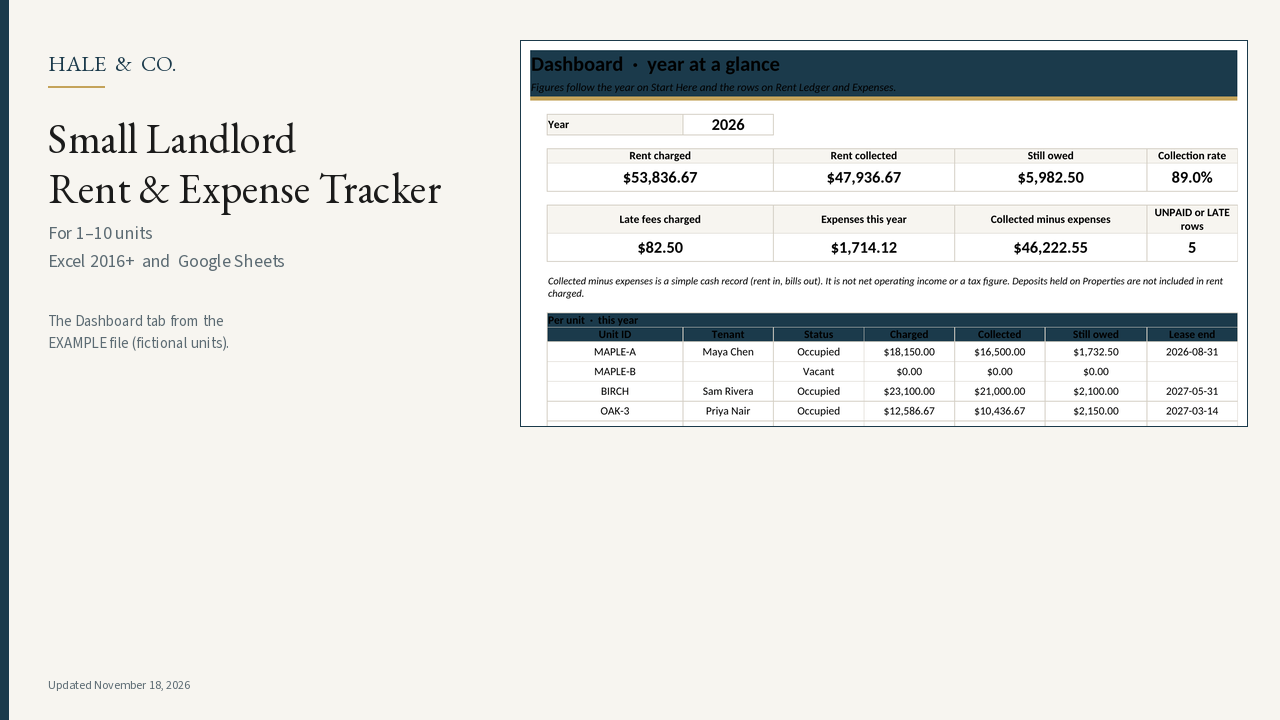
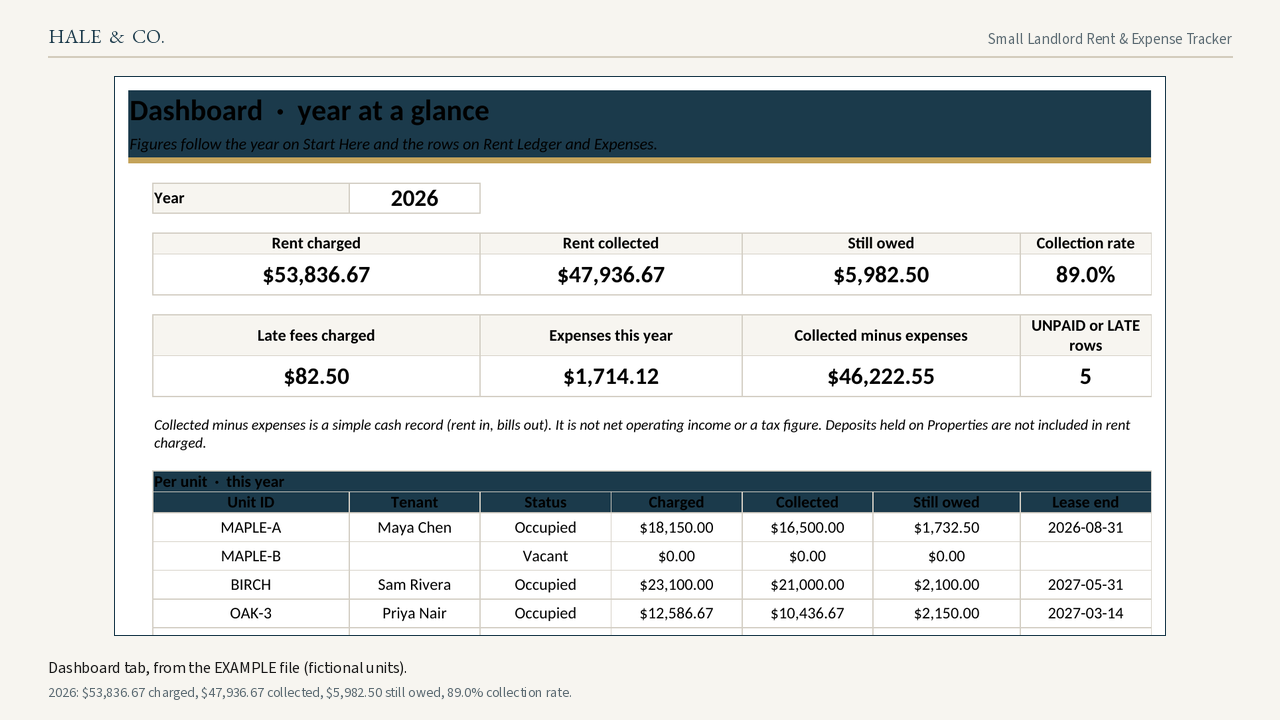
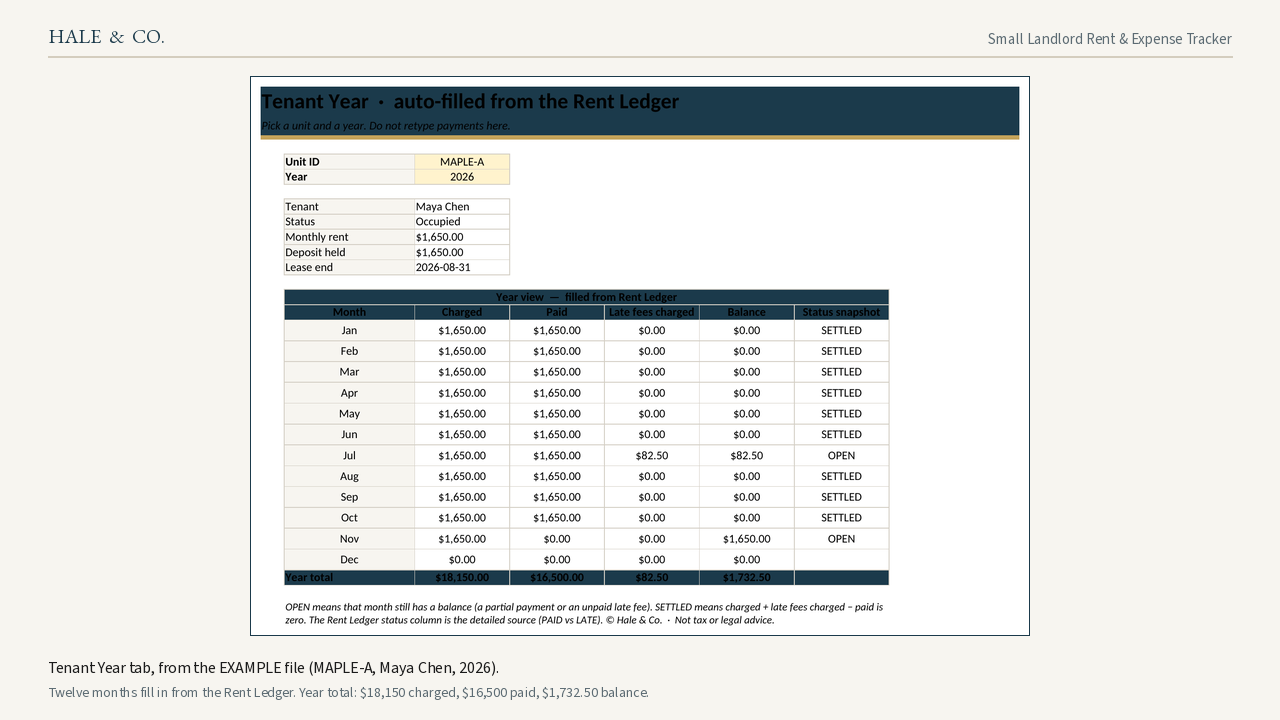
- The Dashboard screenshot on this page is from the EXAMPLE file (fictional units). For 2026 it shows $53,836.67 rent charged, $47,936.67 collected, $5,982.50 still owed, and an 89.0% collection rate. The Tenant Year screenshot is MAPLE-A (Maya Chen, 2026): $18,150 charged, $16,500 paid, $1,732.50 balance, filled from the Rent Ledger.
How it works
- Set your year, due day, and grace days once on Start Here.
- Add units and tenants. Security deposits are tracked as amounts you are holding, not as rent income.
- Log one row per rent period. Leave Amount due blank to use the scheduled rent, or type a prorated amount for a mid-month move-in (a 30-day suggestion is on Properties).
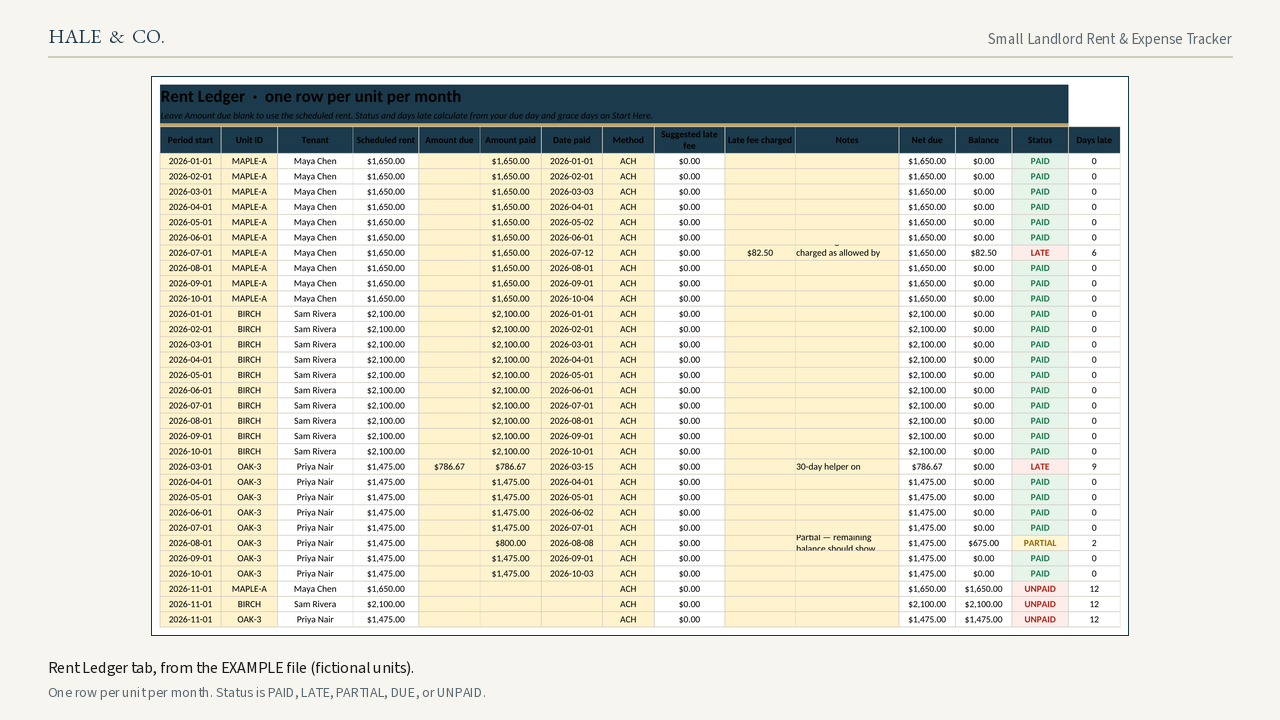
- Status fills in for you: PAID, LATE, PARTIAL, DUE, or UNPAID. Days late and an optional late-fee suggestion follow your settings. You type the fee you actually charge, and only if your lease and local law allow it.
- Pick a unit and a year on Tenant Year. The twelve months populate from the ledger. You do not keep a second set of books.
What this is not
- This workbook helps you keep records. It is not tax, legal, or accounting advice, and it is not a substitute for official forms in your state.
- It does not file a Schedule E or calculate a legally required late fee.
- It does not collect rent online. Hand totals to your accountant if you need a tax return prepared.
Compared with free alternatives and named templates
A blank Google Sheet or Excel ledger is free if you are comfortable writing the formulas yourself. This one ships the due-day and grace logic, late flags, a per-tenant year view, and a dashboard already wired. Named products we actually opened (prices and review counts from those pages or archives; no invented ratings):
| Product | What we saw | How this workbook differs |
|---|---|---|
| A blank Sheet or Excel file | Free; you write the formulas | Shipped logic for due day, grace, late flags, Tenant Year, and Dashboard |
| TheGoodSheets “Landlord Rental Property Spreadsheet” (Etsy) | $7.54, 126 item reviews, 12 monthly tabs (archived Aug 27, 2026) source | Six tabs and one rent ledger, not a tab per month |
| FinanceMadeSimpleINC (Etsy) | A 2-star review from Carol called setup “convoluted”; a 4-star review from Kaleigh said “Unable to save to computer correctly.” (archived Jan 8, 2026) source | An .xlsx file you can save, plus a Sheets import path |
| HeyMorning (Etsy) | 13 tabs; listing FAQ said Google Sheets can be glitchy or view-only and to open from a computer (archived Aug 13, 2026) source | Six tabs; in Sheets, File > Import, then File > Make a copy. Setup is still easier on a computer. |
| Timberwolf “Rental Income Tracker” (Gumroad) | $19, up to 10 properties, 30 rent rows and 30 expense rows, due on the 1st with a 5-day grace hard-coded source | 600 rent rows and 600 expense rows; you set due day, grace days, and late-fee method (including Off) |
A landlord on r/Landlord looking for a rental tracker called some Etsy templates “way too much stuff and looks chaotic.” Related on this site: the rent-collection fee comparison — that page is a software directory. This tracker is a Hale & Co spreadsheet and does not collect rent.
Works with
Microsoft Excel 2016 and later (Windows or Mac) and Google Sheets. Common functions only, so you are not locked into Microsoft 365. Setup is easier on a computer.
Refunds
Digital download. If a file won't open, email [email protected] and I'll fix it or refund you.
Screenshots
Questions and answers
Does this work in Excel and Google Sheets?
Yes. You get .xlsx files that open in Excel 2016 or later. In Google Sheets, use File > Import, then File > Make a copy so you are not stuck in view-only mode.
How many units can I track?
Ten units, plus an "All" tag for bills that cover every unit. There are 600 rent rows and 600 expense rows — enough for 10 units across several years. See "Can I add more rows?" if you outgrow that.
Does it do my taxes or fill out a Schedule E?
No. It keeps a rent and expense record you can hand to an accountant. Totals are not net operating income or a tax figure, and deposits you are holding are not counted as rent income.
Does it charge late fees automatically?
It flags late or unpaid rent from the due day and grace days you set, and it can suggest a flat or percent fee. You type the amount you actually charge, and only if your lease and local law allow it. The suggestion is not legal advice and is not a legally required fee.
Can I add more than 600 rent or expense rows?
The shipped file has 600 formula rows on each ledger. If you need more, copy a blank formula row down, or email me and I will tell you how. You should not need to for 1–10 units.
Can I use it on a phone?
Setup is easier on a computer. We have not verified the Google Sheets or Excel mobile apps, so we do not claim you can log payments from a phone.
What if the file won't open?
Email [email protected]. I will help you get it open in Excel or Google Sheets, or refund you.
Answers restate the sourced facts above.
Related landlord software
If you need online rent collection instead of (or as well as) a workbook: TurboTenant · RentRedi · Baselane.
Other Hale & Co products (our own products)
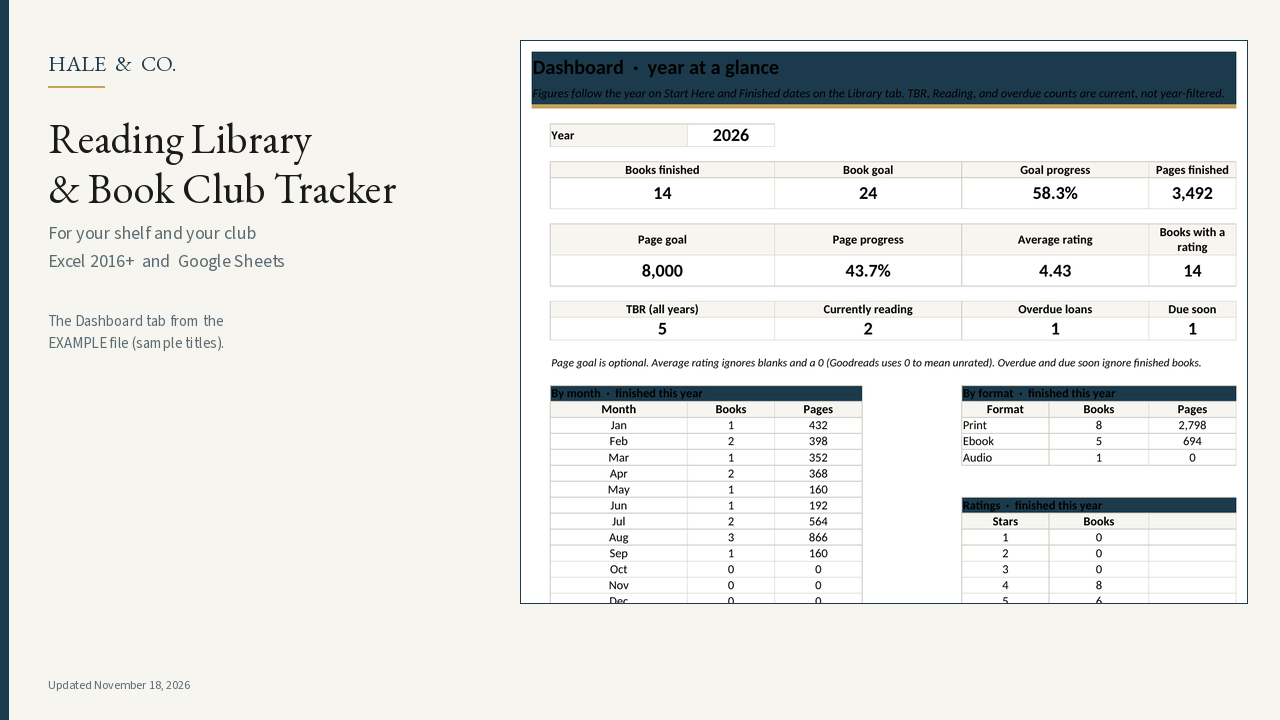
Our own product · $7 one-time (regularly $9)
Reading Library & Book Club Tracker
A $7 recordkeeping workbook (regularly $9; Black Friday price through 1 Dec 2026) for your shelf and your club. Track format, library due dates, series, a yearly goal you set, and book-club meetings — in Excel 2016+ or Google Sheets. Optional Goodreads export paste.
Black Friday price through 1 Dec 2026